01.
Research
Problems
- Karaoke places are scarce and expensive in the US.
- Traditional karaoke machines are outdated with limited catalogs that are inconvenient to update.
- Many online karaoke lacks song variety and karaoke controls like key and tempo controls.
- Quarantine has made it impossible to go out to places and karaoke with other people.
Solutions
- A karaoke app that allows for people to karaoke together with their friends and family online.
- Provides a large and diverse library of songs from multiple different languages that updates regularly.
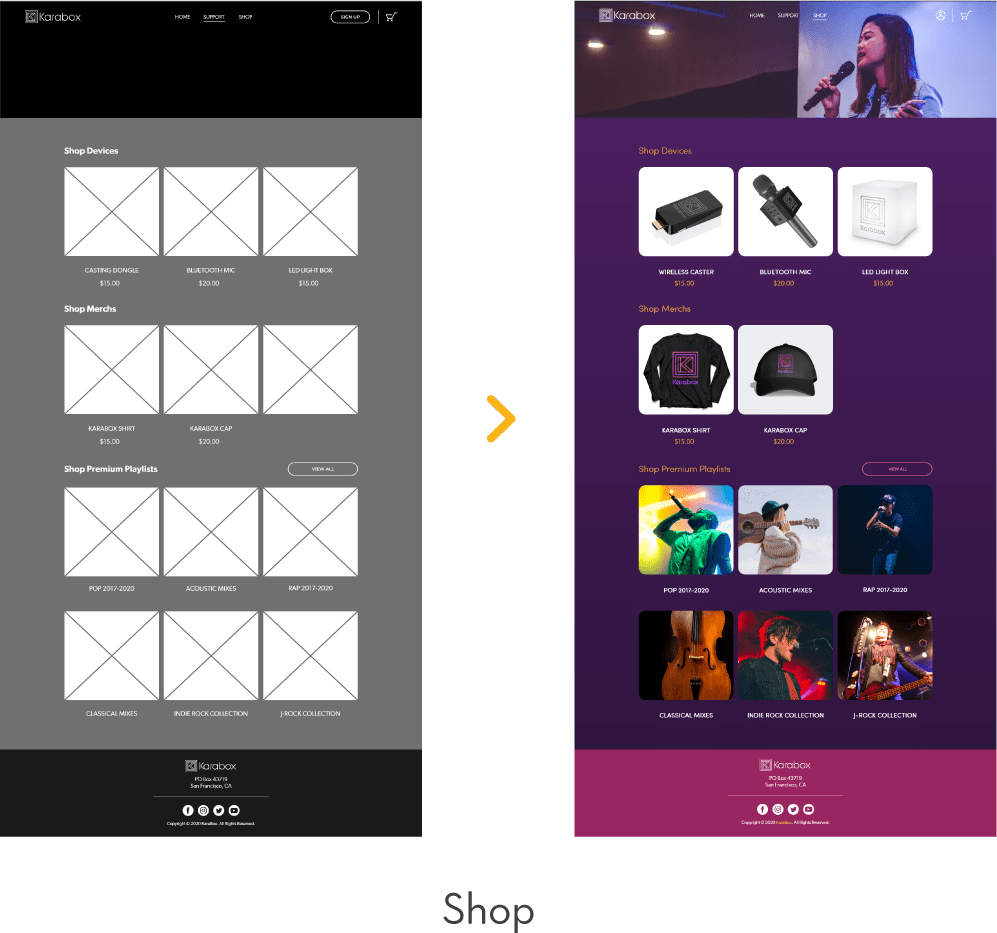
- Offers an affordable all-in-one home karaoke solution with features and supporting products found in traditional karaoke.
Target audience
Young people from the age of 16-40 who love karaoke. They are a highly tech-saavy and social group so the idea of an online karaoke app would appeal to them easily.
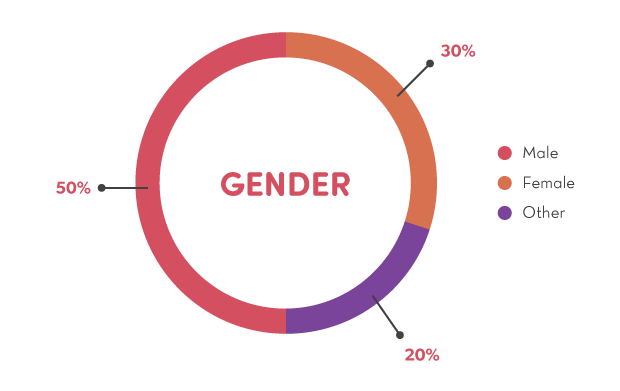
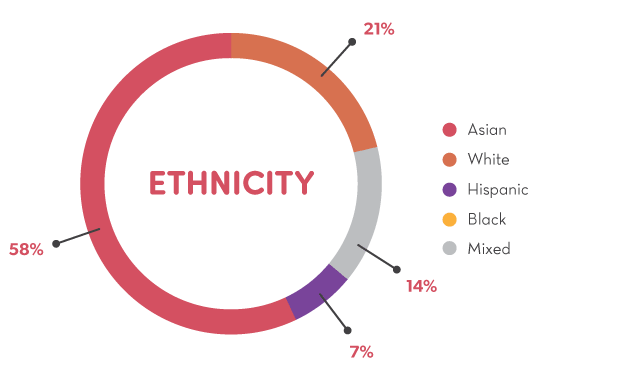
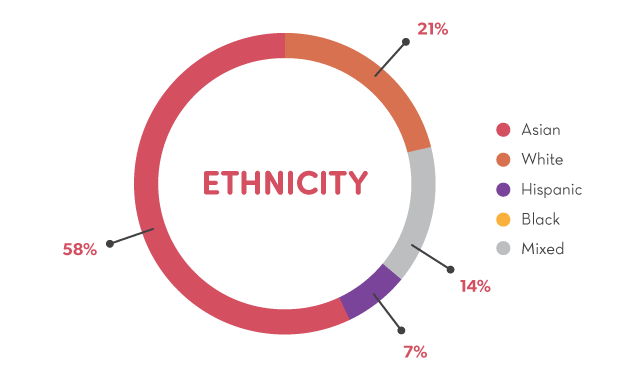
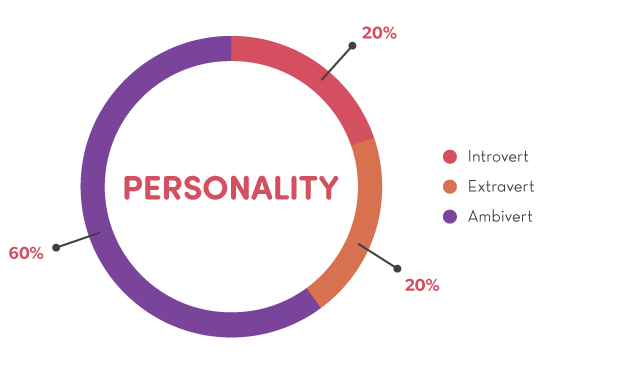
Survey
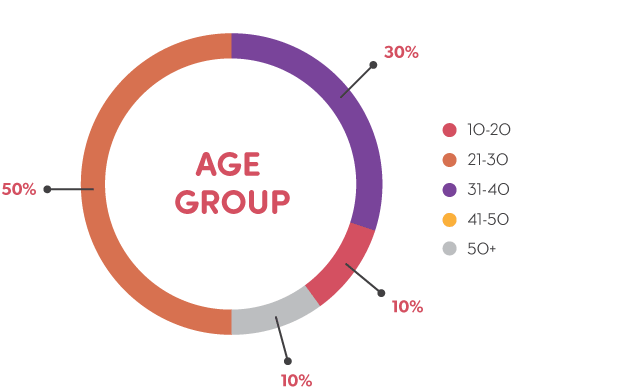
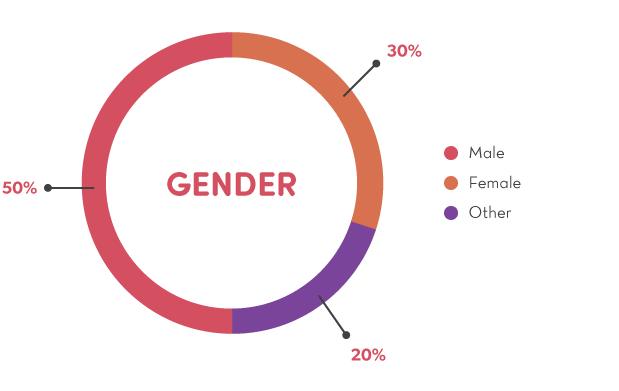
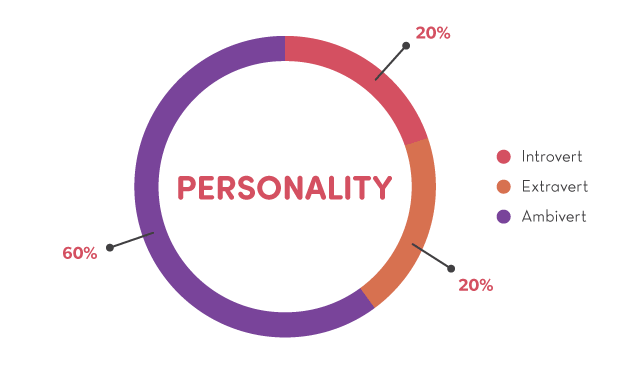
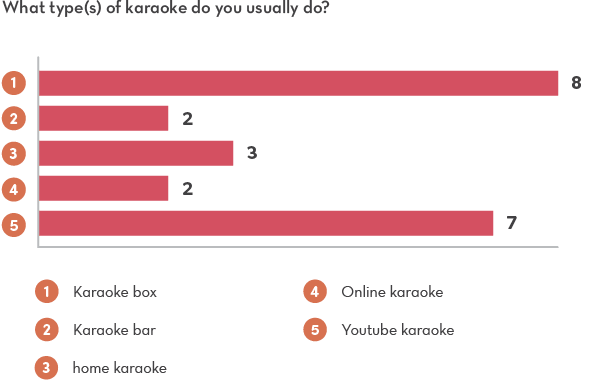
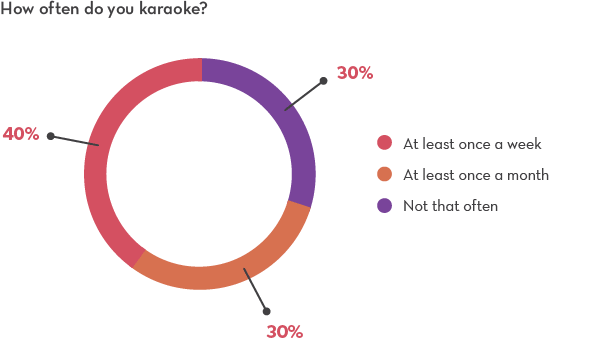
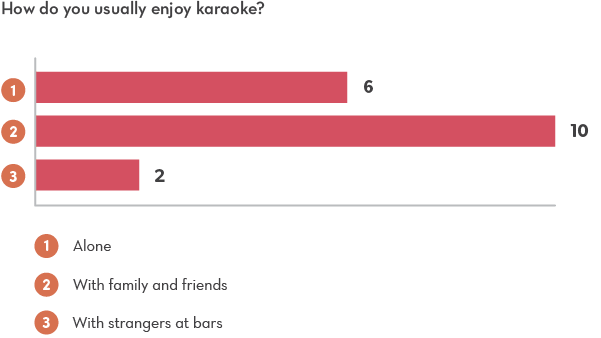
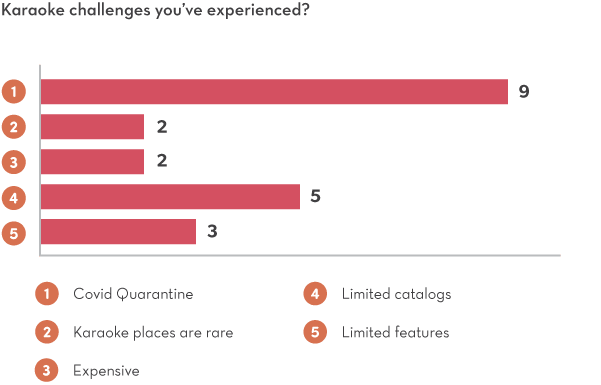
A survey was conducted on a small group of karaoke enthusiasts online about their karaoke routines, preferences and challenges and here are the results from 14 respondents.
Competitive Analysis
Karafun
Pros
- Online karaoke available in multiple platforms.
- Features: video casting, remote control from mobile devices, offline videos, key & tempo controls.
Cons
- No online social aspect.
- Mostly Western songs.
- Subscription-based.
Youtube
Pros
- Has a huge collection of free karaoke videos available on their platform.
- Features: video casting and remote control from the device.
Cons
- Has ads between plays.
- Inconsistent video qualities.
- Lack key and tempo controls.
- Was not really made for karaoke.
Smule
Pros
- Provides social networking for people who love to sing.
- Has a wide variety of songs.
- Features: record performances for editing and sharing, duet or solo karaoke, etc.
Cons
- Lack key and tempo controls.
- Does not support more than 2 singers.
- Not for private karaoke.
02.
User Experience
Persona 1
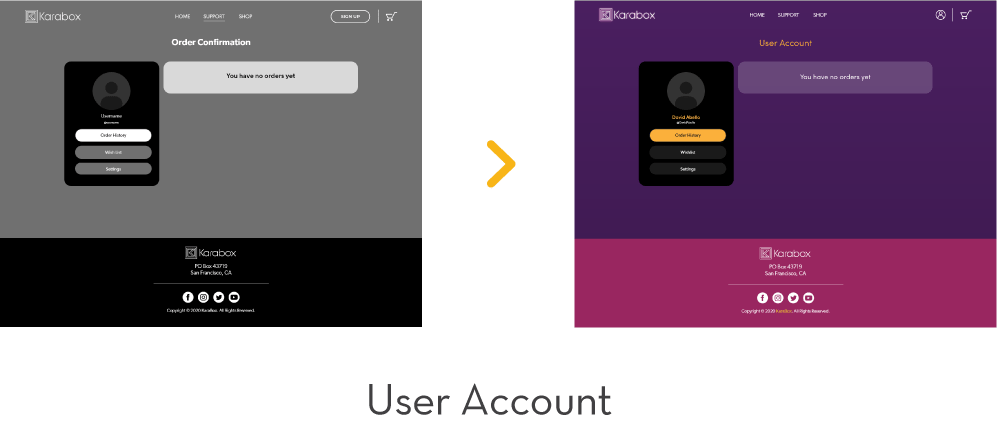
David Abello
26 years old
Video editor
Vallejo, CA
Bio
David is a shy introvert who loves karaoke. Being a second generation Filipino American, he was raised in a household that owns a home karaoke system and holds weekly family karaoke sessions. However, he recently moved out of his home and is now living far away from his family so he’s looking into setting up his own home karaoke. He also wants to find a way to continue the weekly family tradition remotely somehow.
Goals
- Wants to find an affordable karaoke system with diverse song catalogs.
- Wants to find a way to hold remote karaoke sessions with his family.
Challenges
- Tight on budget due to the move.
- Only wants to socialize with his family so prefers something more private than existing social singing apps.
Task Flow 1
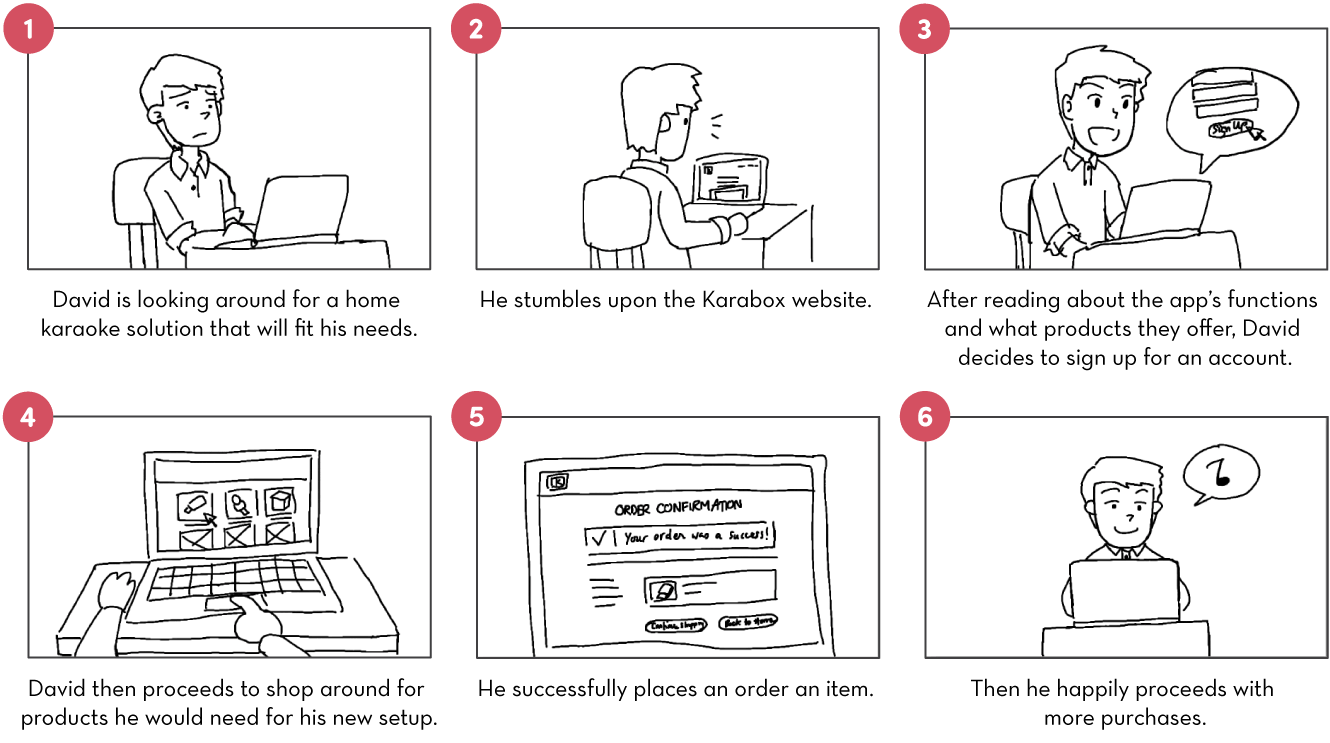
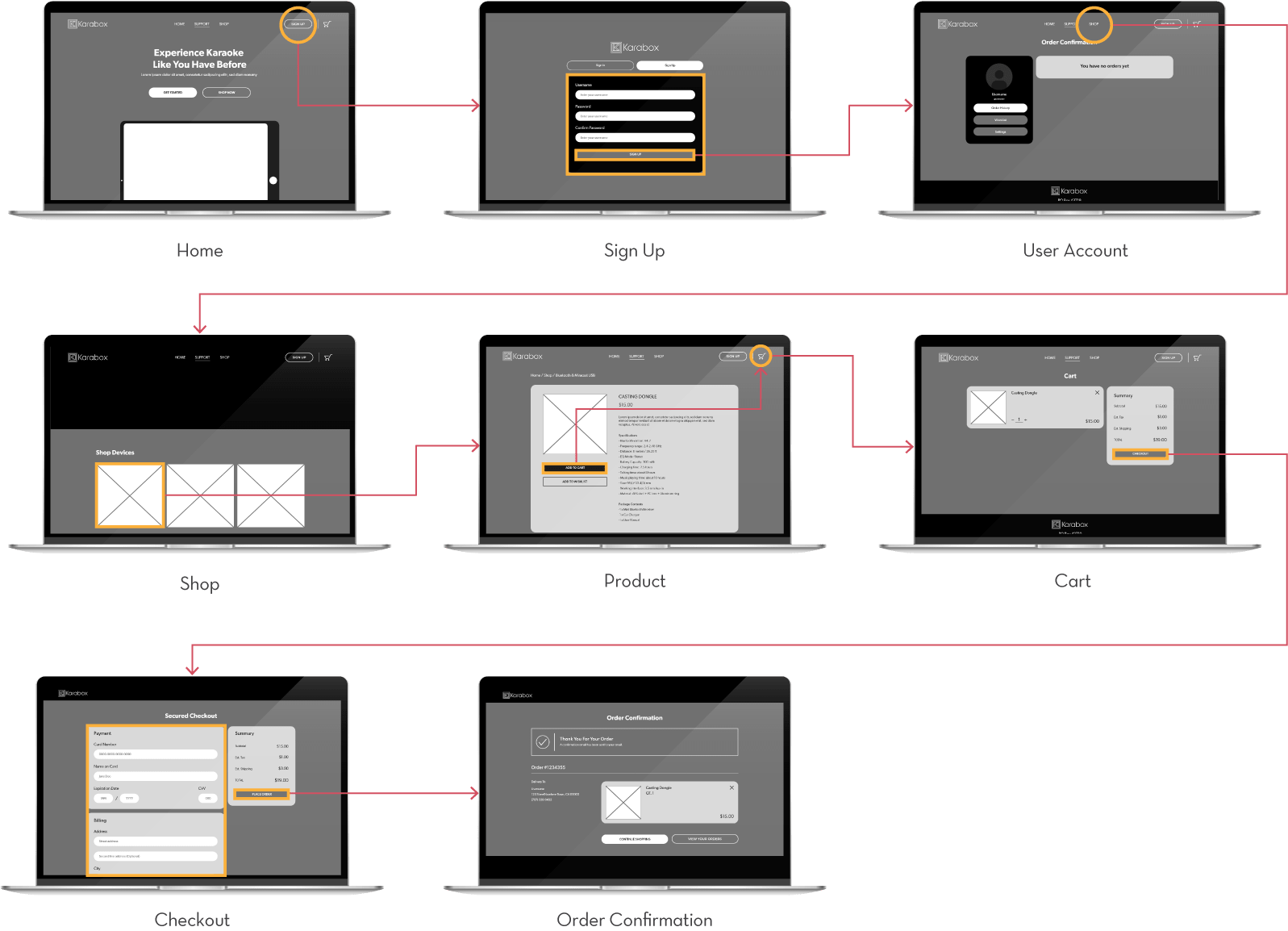
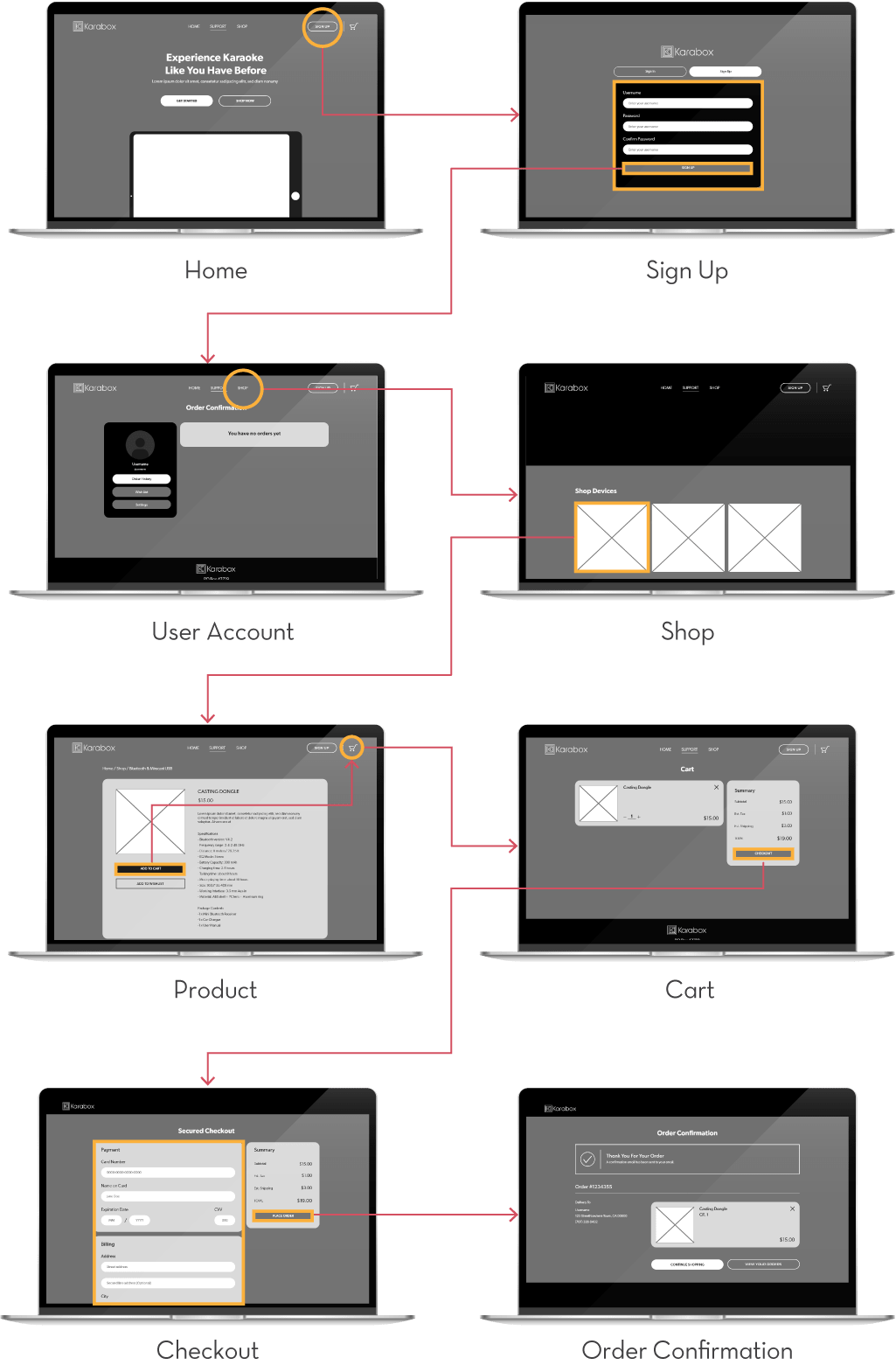
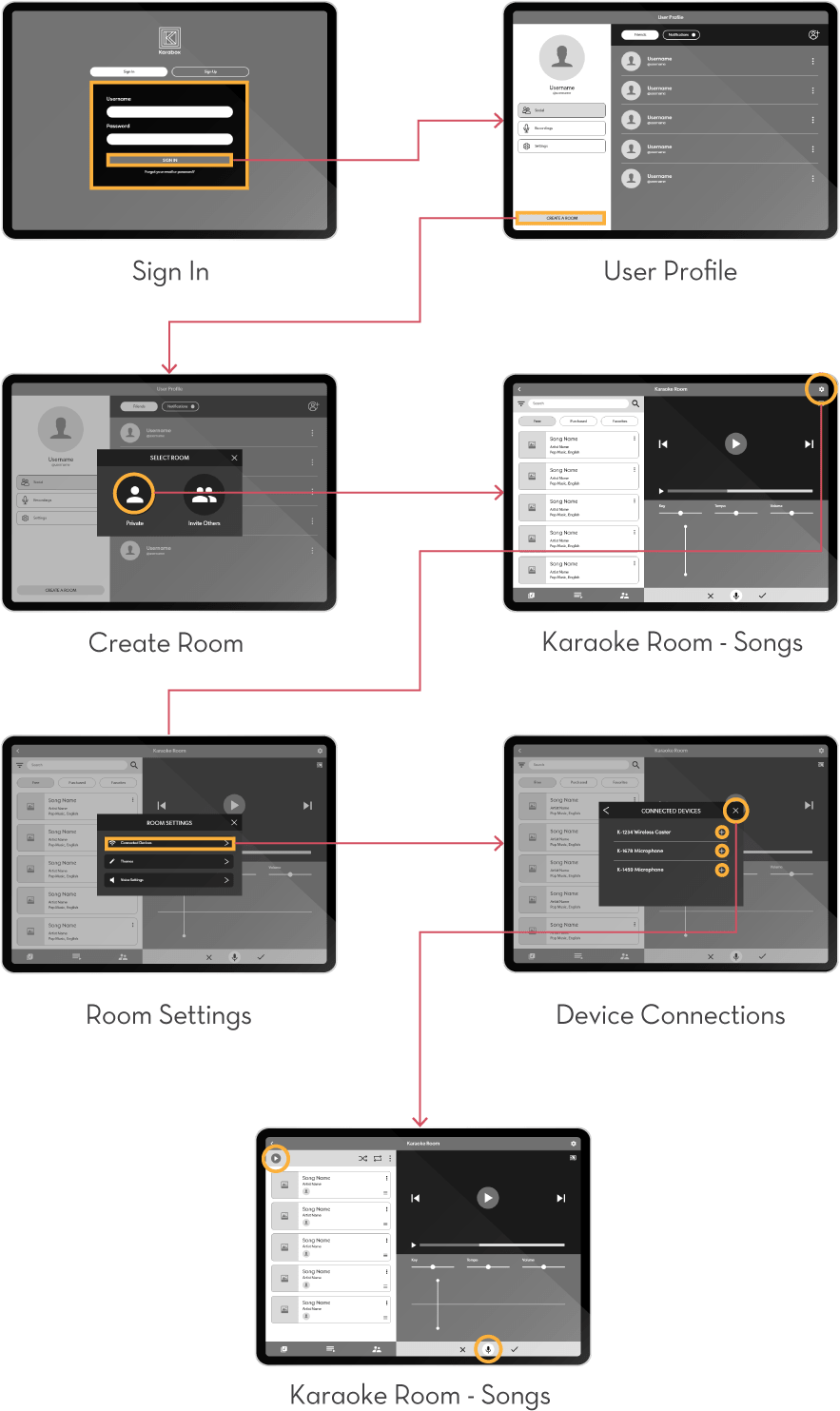
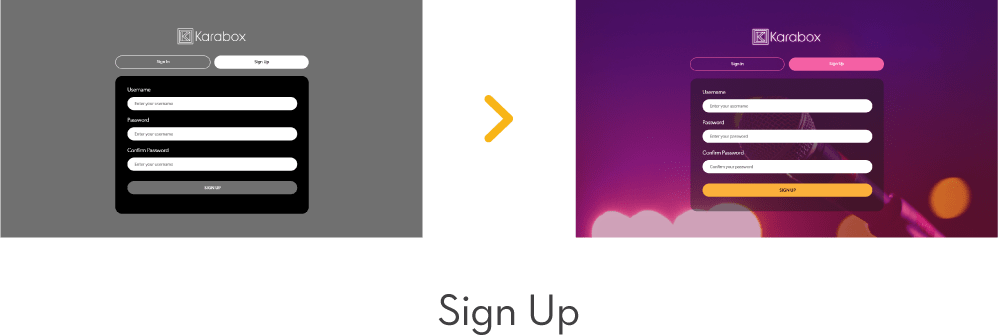
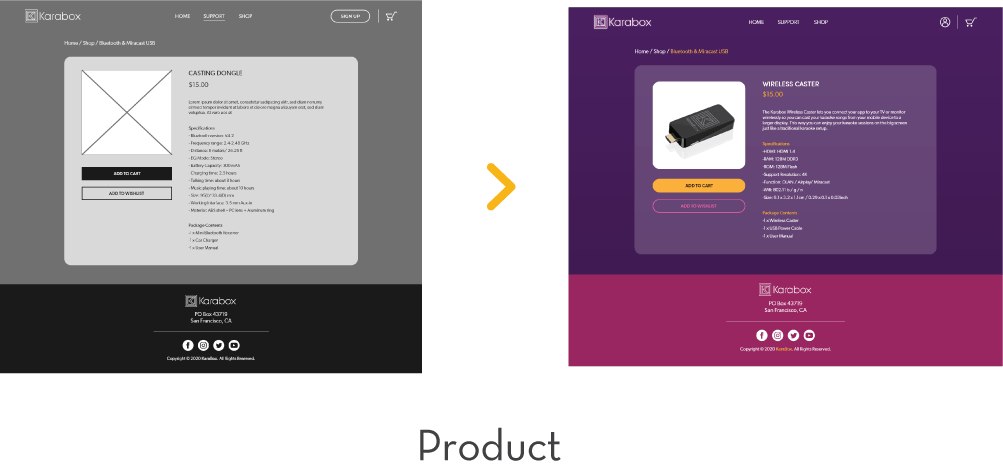
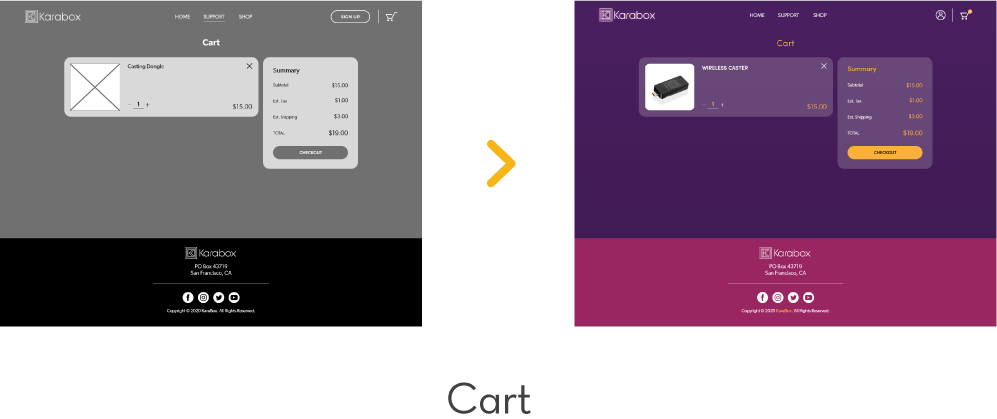
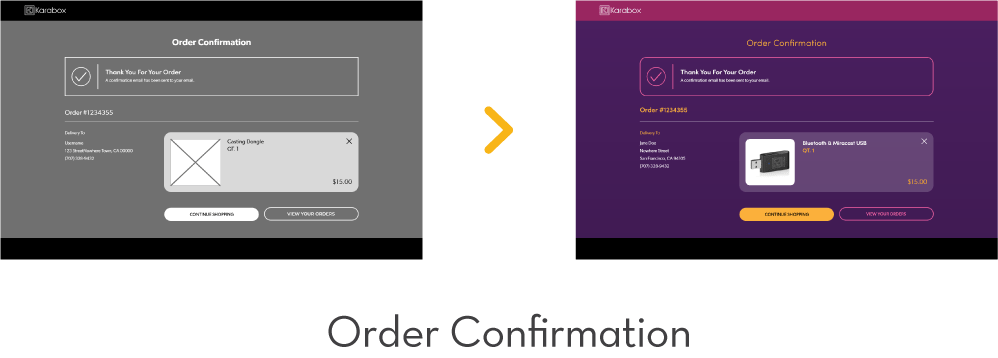
David is checking out information on the Karabox app. He made up his mind in getting the app and signed up for an account to shop for the bluetooth devices for his new karaoke setup.
User Testing 1
Participant 1
Thought the website was easy to use and navigate.
Participant 2
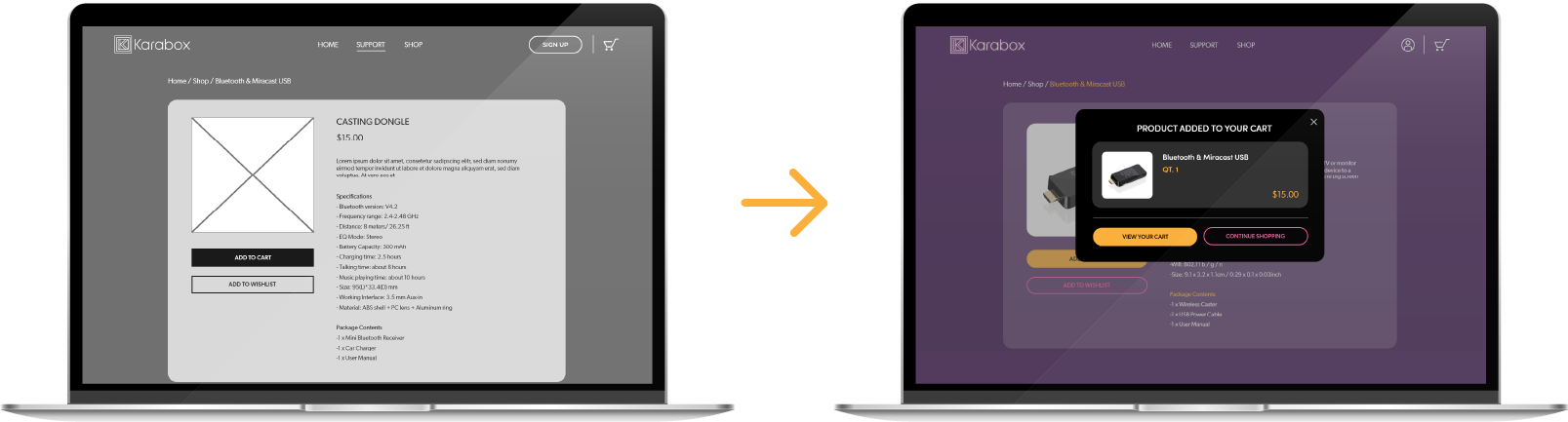
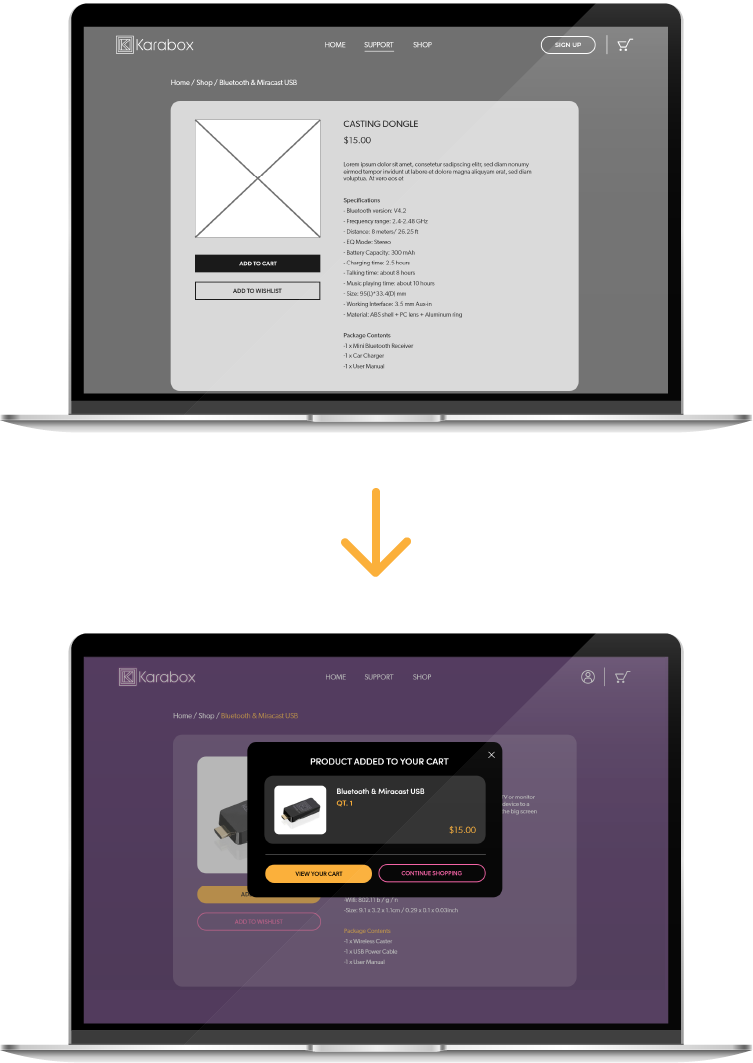
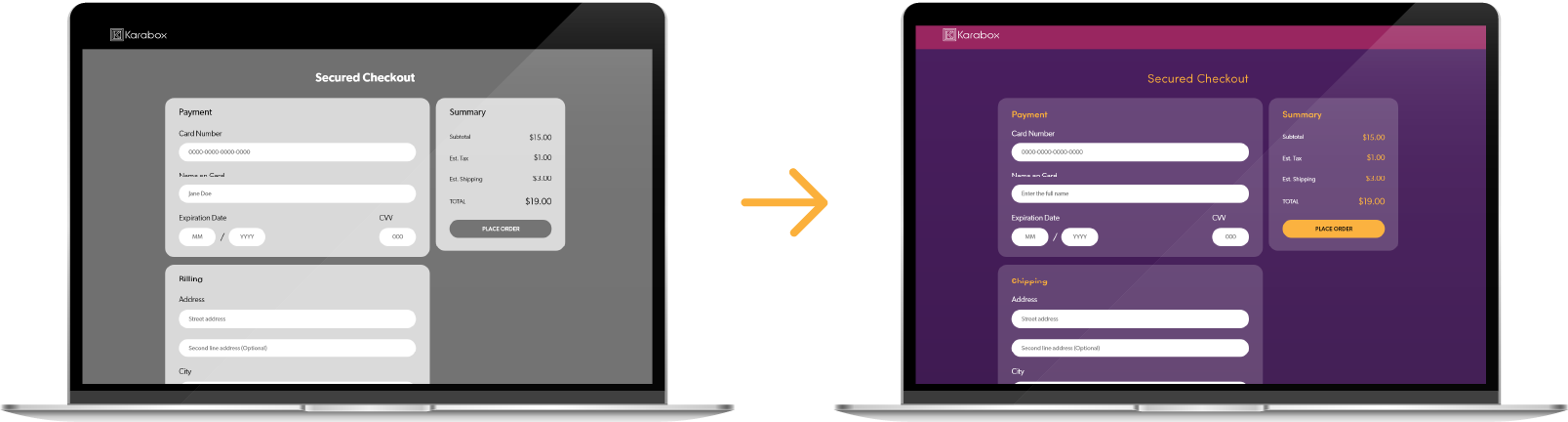
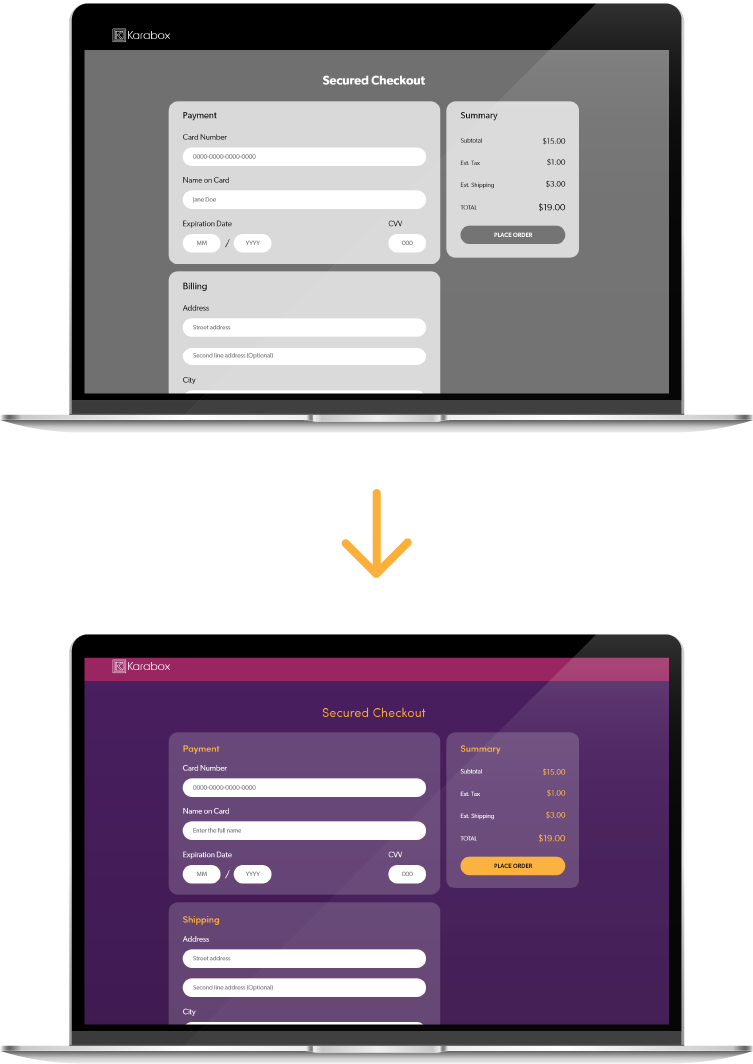
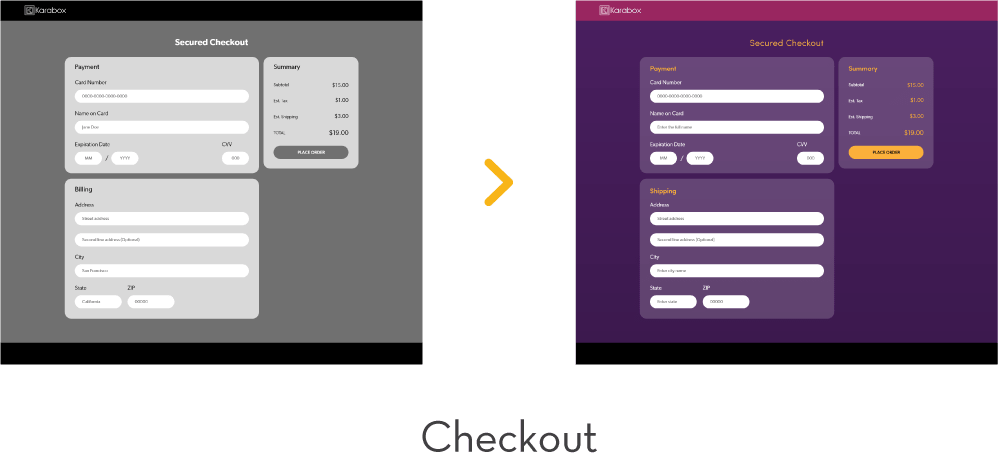
Suggested that there should be a pop-up modal for when an item is added to cart. They also pointed out that the checkout page is missing a shipping address section.
Participant 3
Thought the website was easy to use and navigate.
Fix: Added a pop-up modal that appears after the user adds a product to cart which clearly lets the user know that their action is successful and allows them to go directly to their cart for checkout.
Fix: Changed Billing address to shipping address.
Persona 2
Kasey Huynh
17 years old
Student
San Jose, CA
Bio
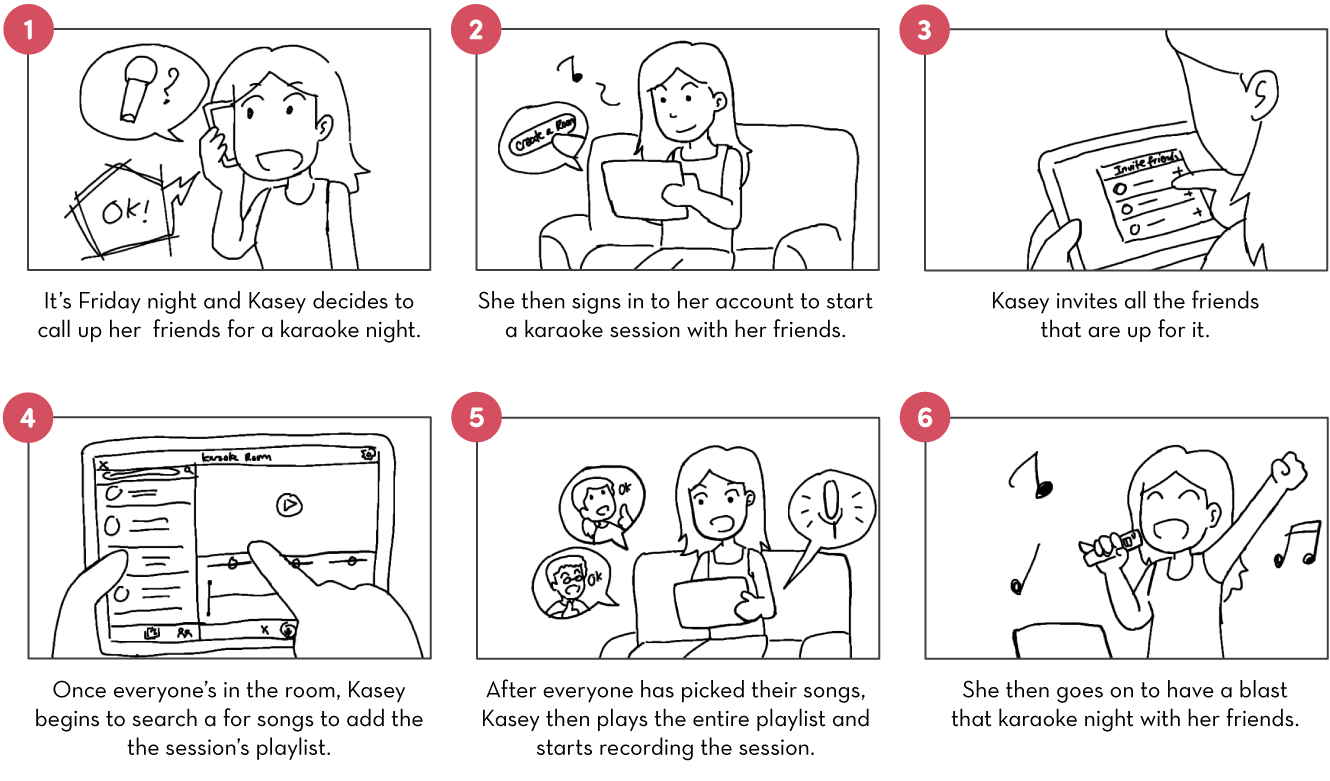
Kasey is an outgoing social butterfly. Being Vietnamese American, one of her favorite past times is going out to karaoke with her friends on the weekend. Ever since covid lockdown, Kasey hasn’t been able to do any karaoke hang out at all. She misses the activity a lot and wants to find a way to host it virtually with all her friends.
Goals
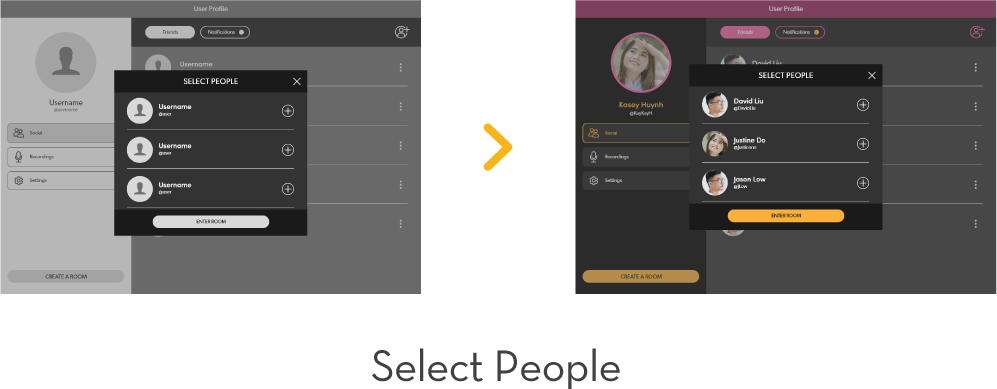
- Wants to invite her friends to join her in an online karaoke session.
- Wants to record the karaoke sessions to share on social media later.
Challenges
- There aren’t any karaoke app that allows multiple people to join in.
- Traditional karaoke doesn’t provide an intuitive way to record and edit singing sessions.
Task Flow 2
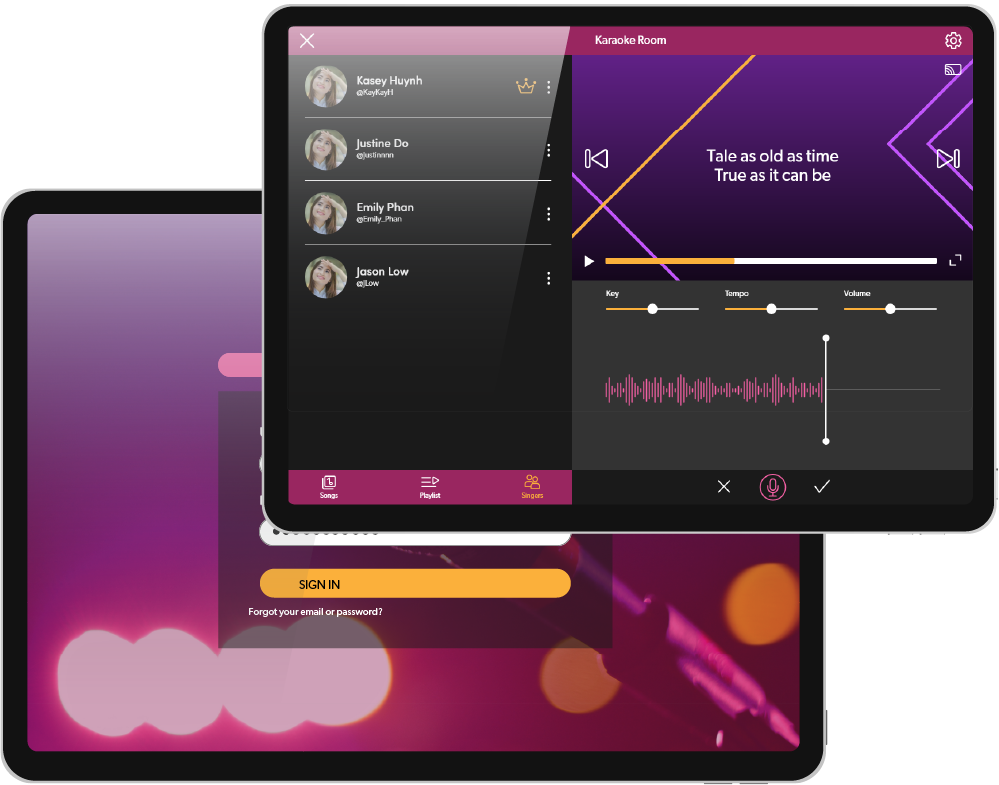
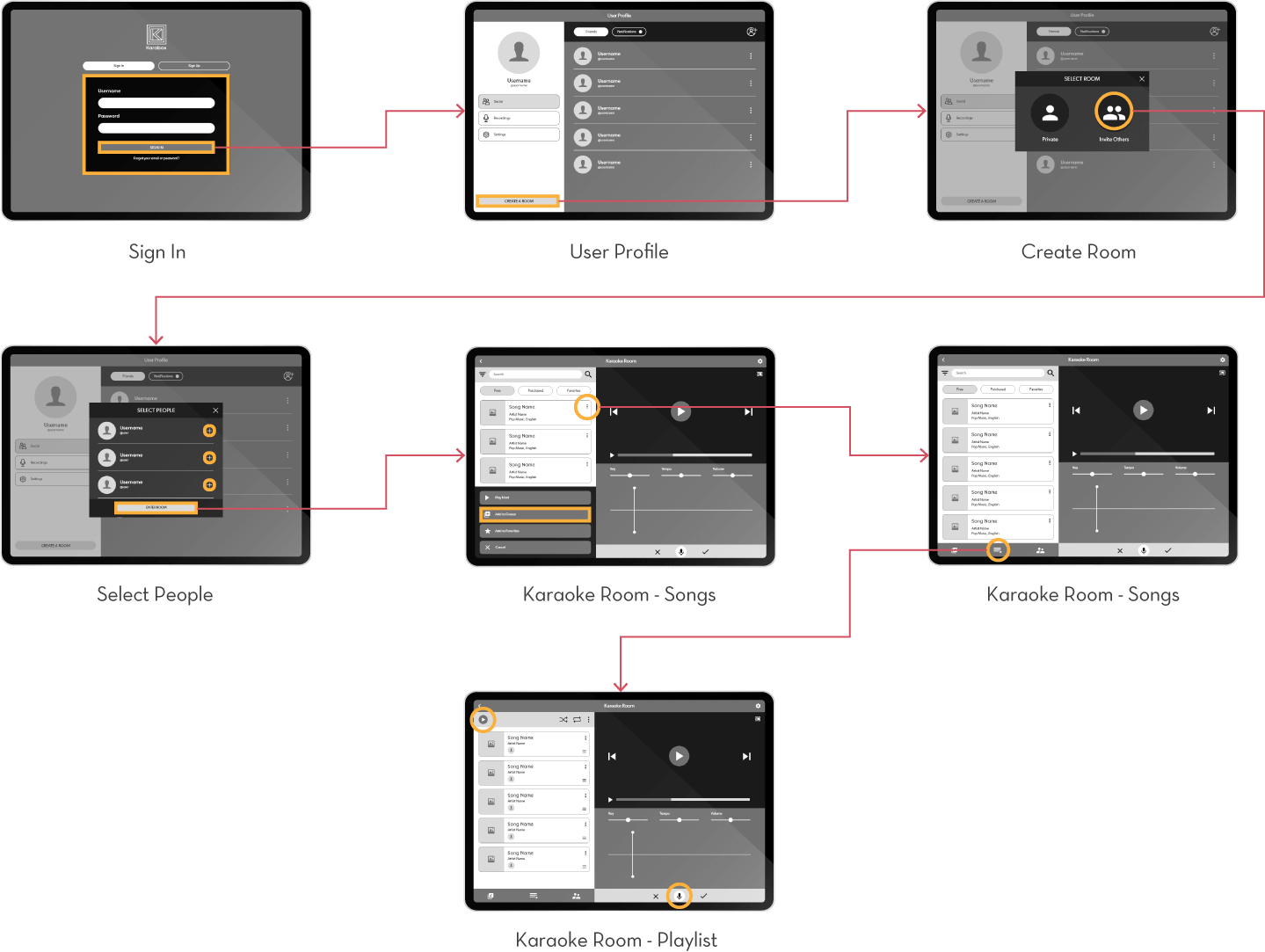
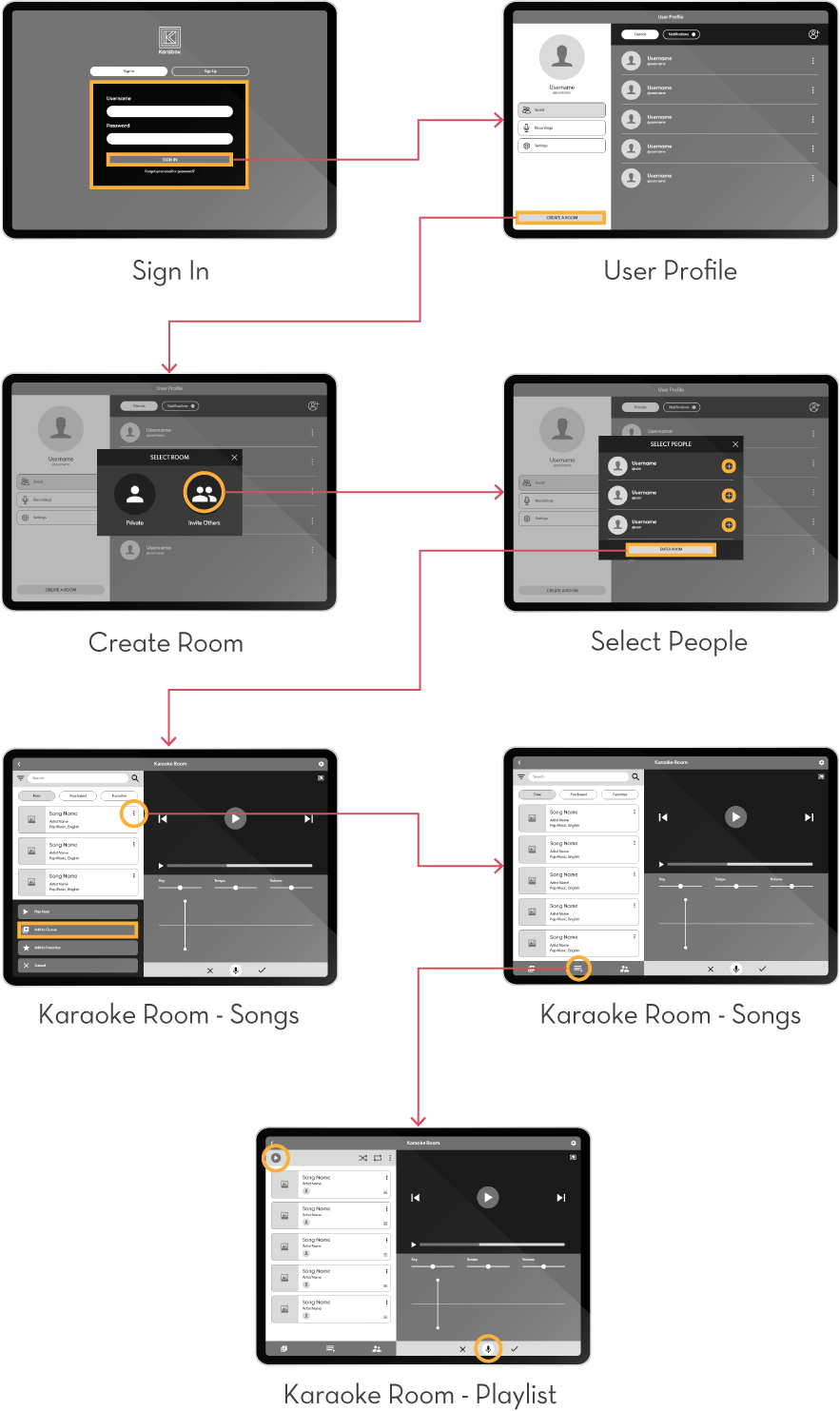
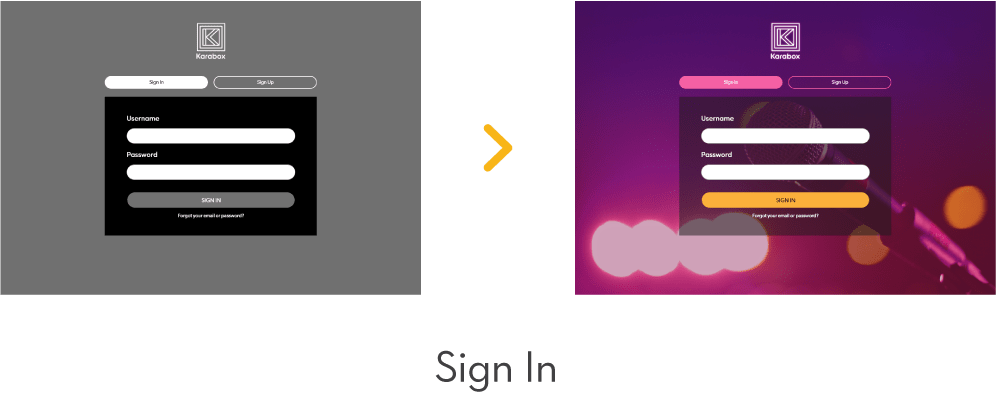
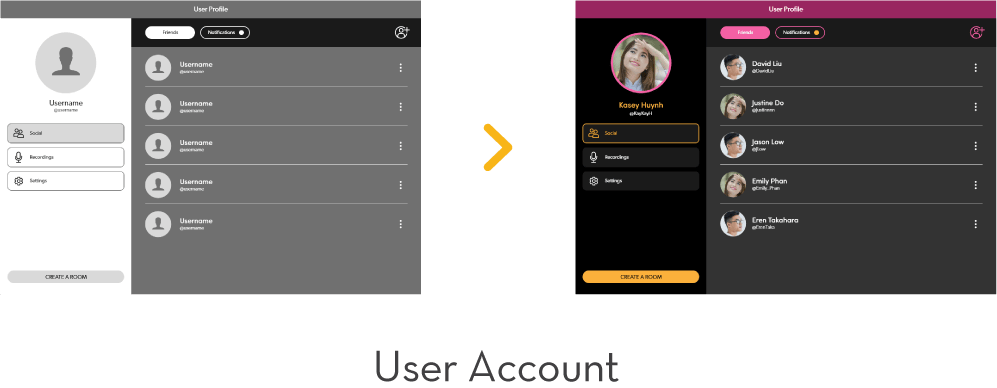
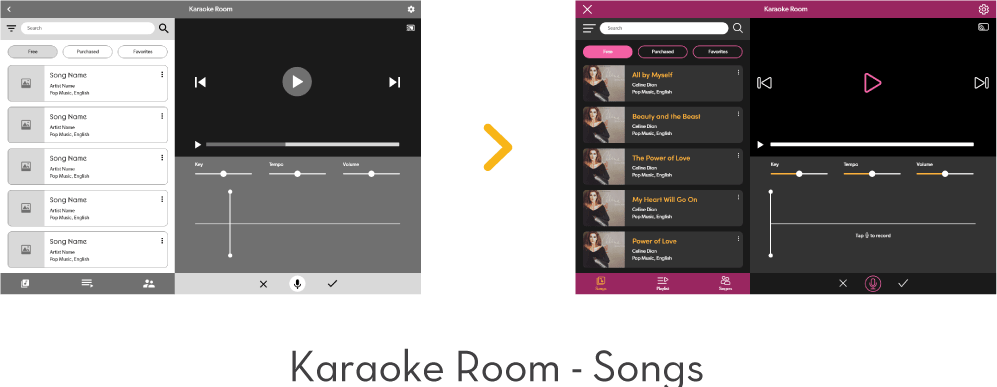
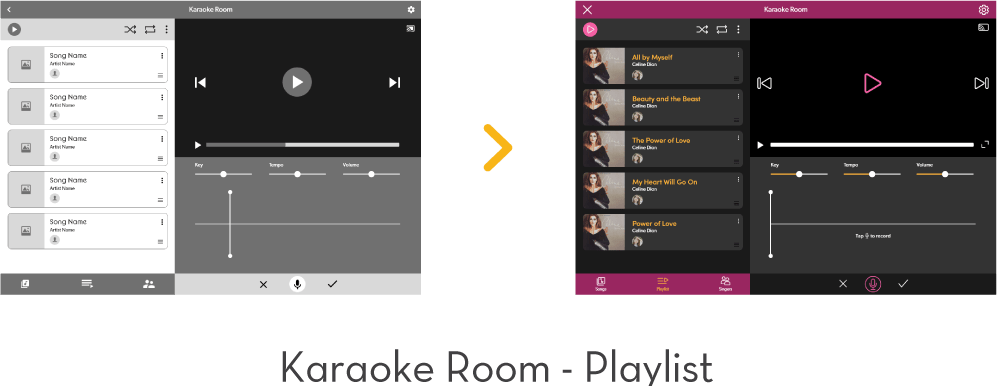
Kasey is trying to log in to her account to start a karaoke session with her friends. Once she’s in, she starts selecting songs to add to the playlist then she plays it and starts recording the session.
User Testing 2
Participant 1
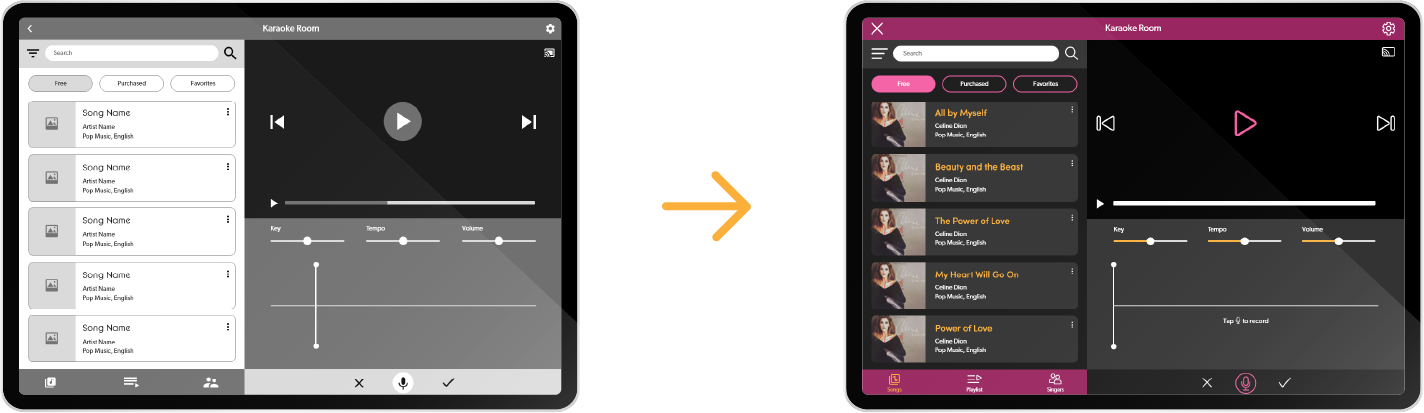
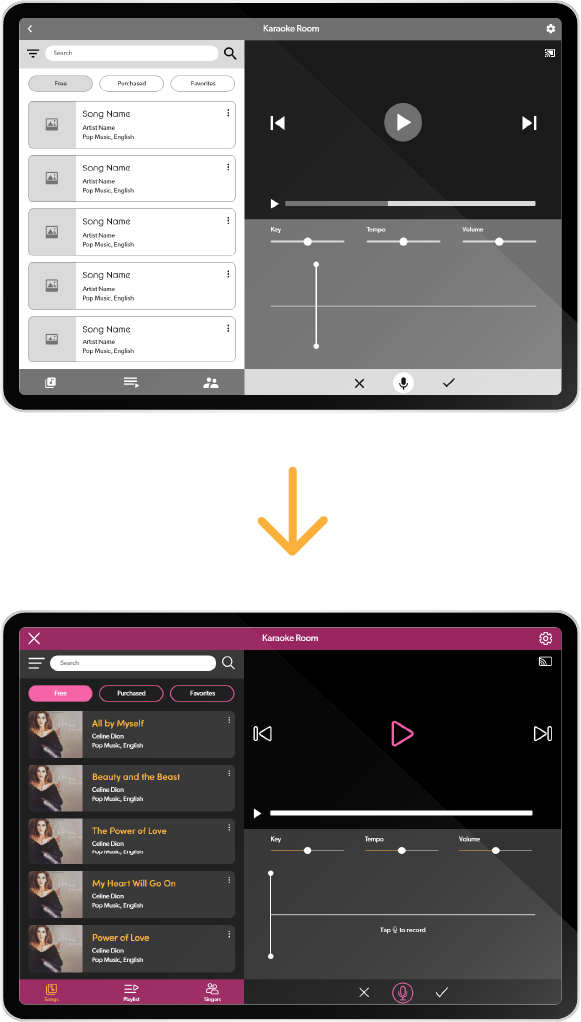
Thought the record button was a mute/unmute button at first. Suggested to either change the icon or call out the action.
Participant 2
Thought the app was intuitive and easy to navigate.
Participant 3
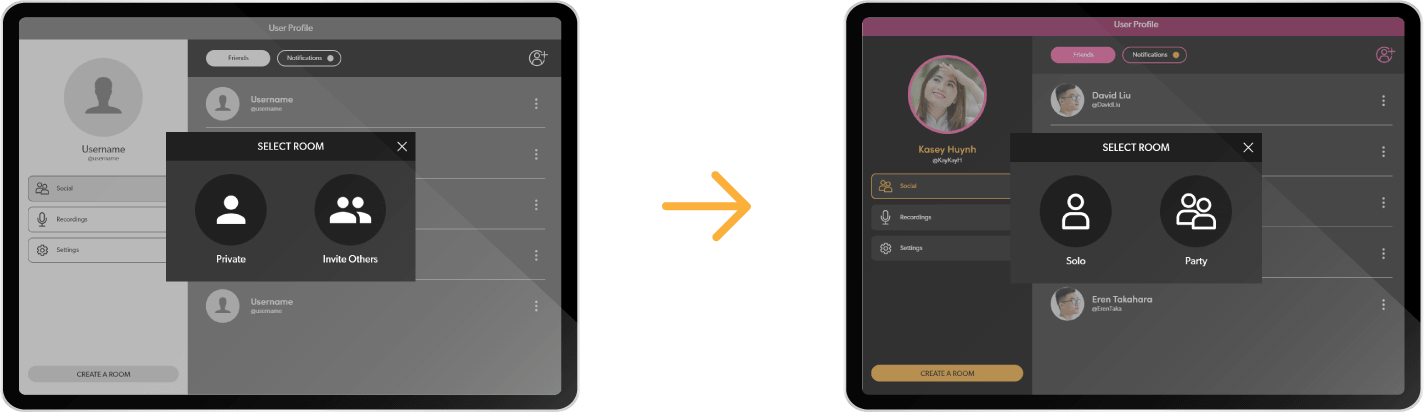
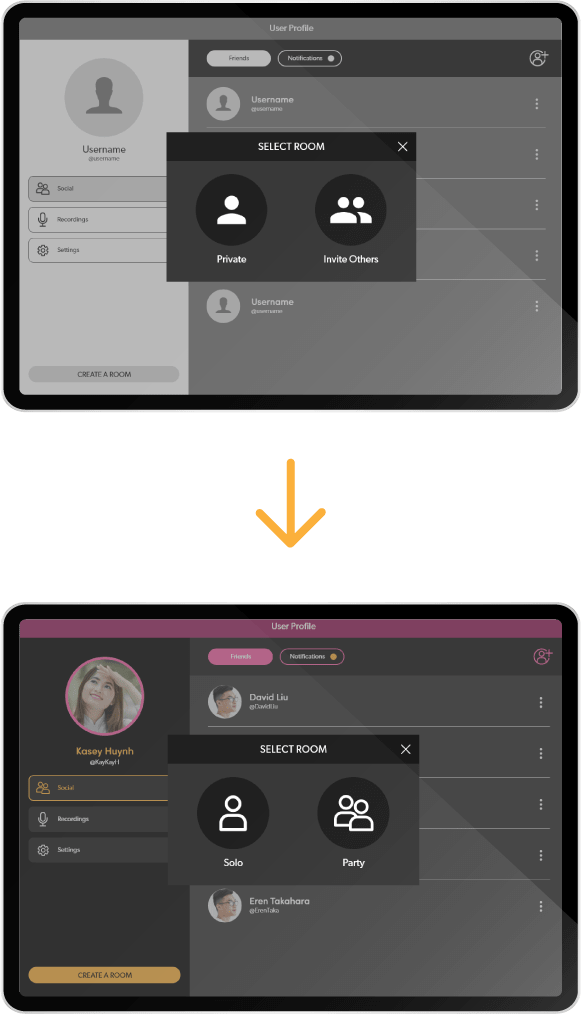
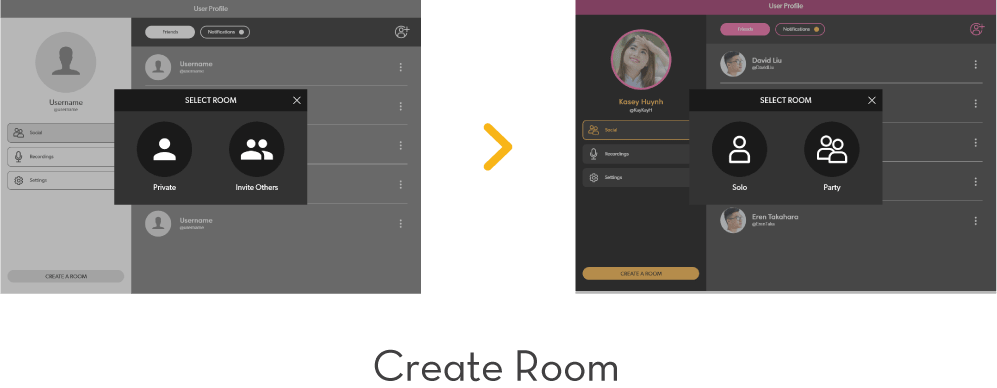
Thought the room names could be a bit more clear since they assumed that “private” means “with people you know only” and “inviting others” means a public room.
Fix: Added an instruction line to the recording section so users know that this function exists and how to start it.
Fix: The rooms are now called “solo” for solo karaoke and “party” for karaoke with friends.
Persona 3
James O'Brian
33 years old
Voice Actor
Concord, CA
Bio
James is an enthusiast of Japanese culture, especially their music culture. He loves going to Round One every month or so to do karaoke there since it offers the full Japanese system. But he can’t do so anymore since covid lockdown. He has been trying to use Youtube karaoke for a while to make up for it. He loves the song variety and ability to cast the songs onto TV, but still finds the Youtube experience lacking overall.
Goals
- Finds an online karaoke app that has a lot of Japanese songs.
- Wants the app to have the same casting function as Youtube but with more karaoke functionalities.
Challenges
- Youtube karaoke lacks controls for key and tempo.
- Japanese song choices are still very limited in the catalogs of most US karaoke systems and apps.
Task Flow 3
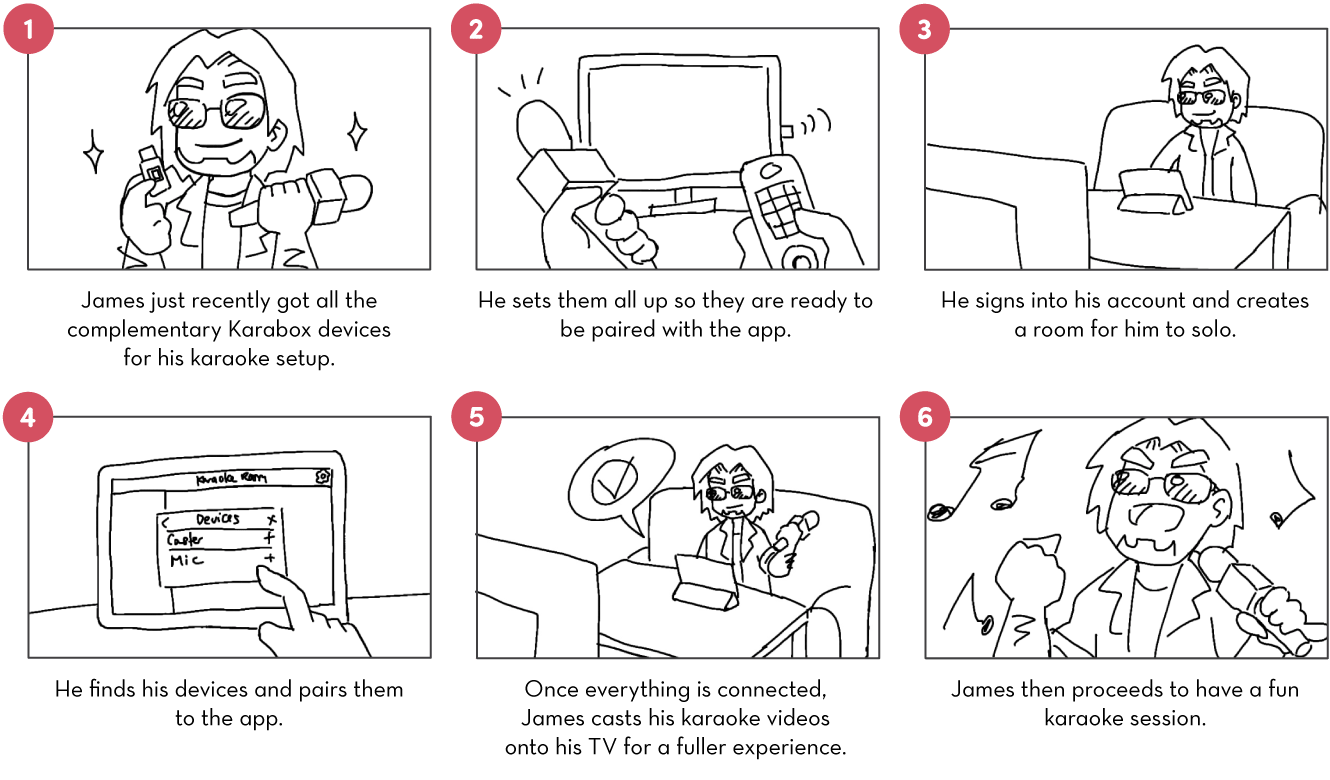
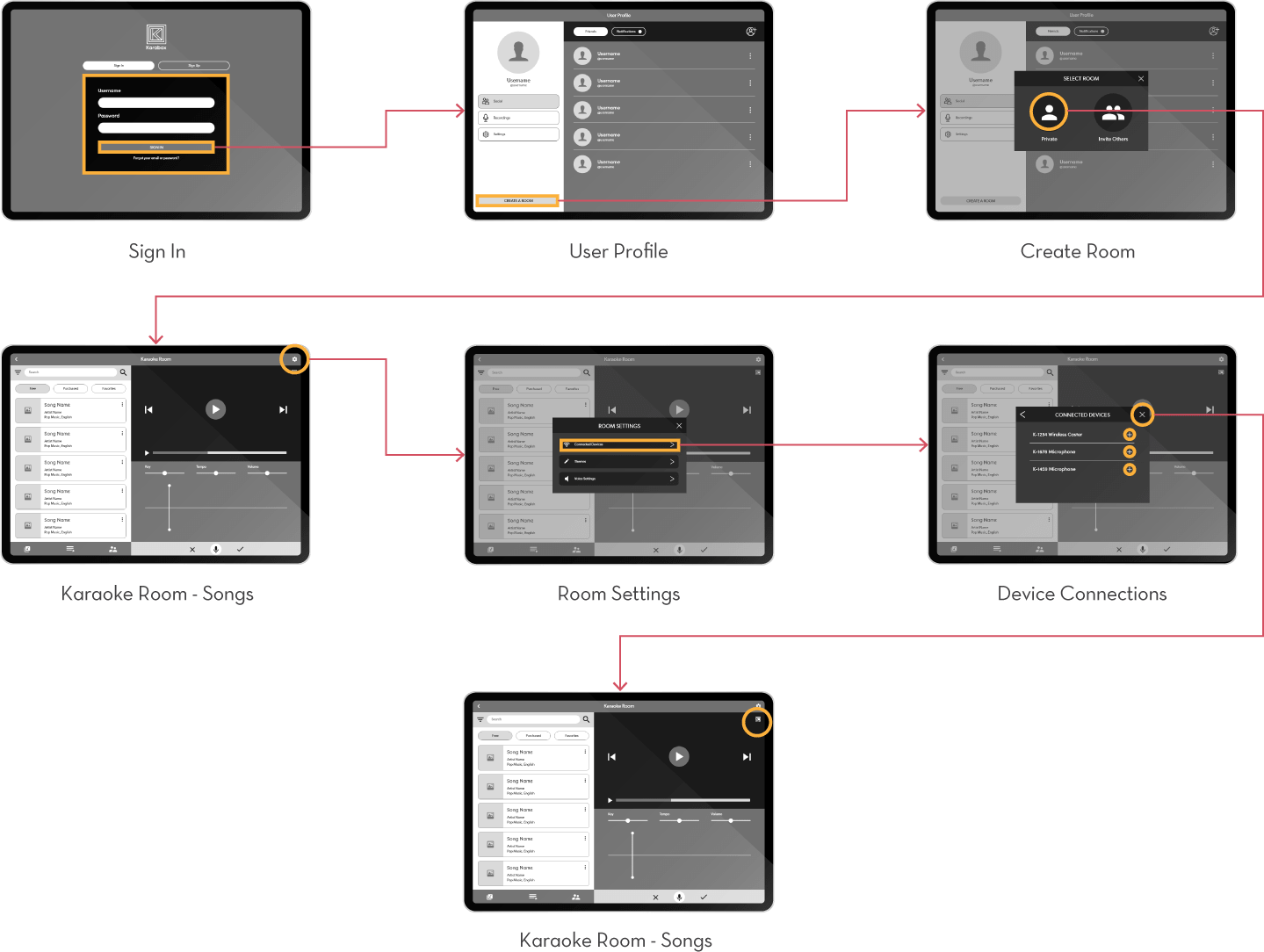
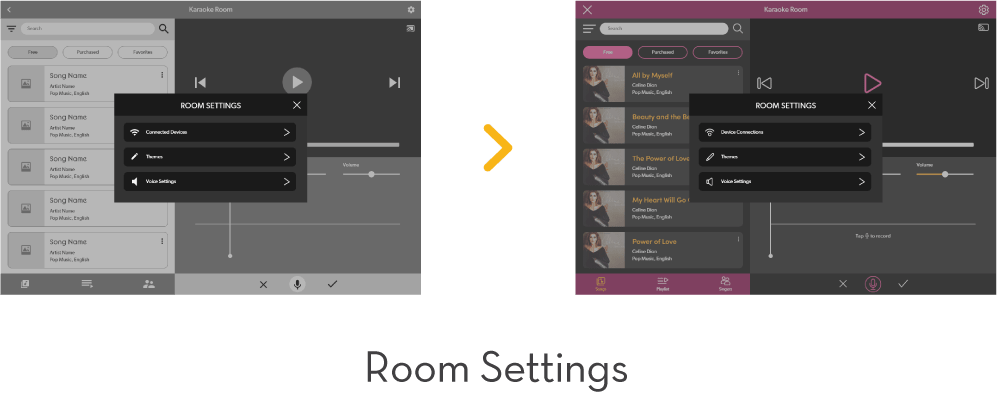
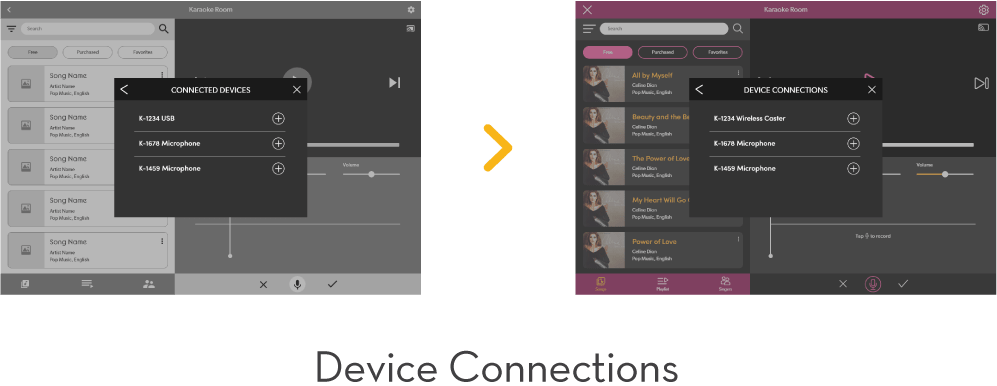
James wants to try out his first karaoke session on Karabox. But first, he wants to pair his Bluetooth USB and microphone to the app so he can cast the songs onto his TV and get the full karaoke experience.
User Testing 3
Participant 1
Thought this task flow was very straightforward.
Participant 2
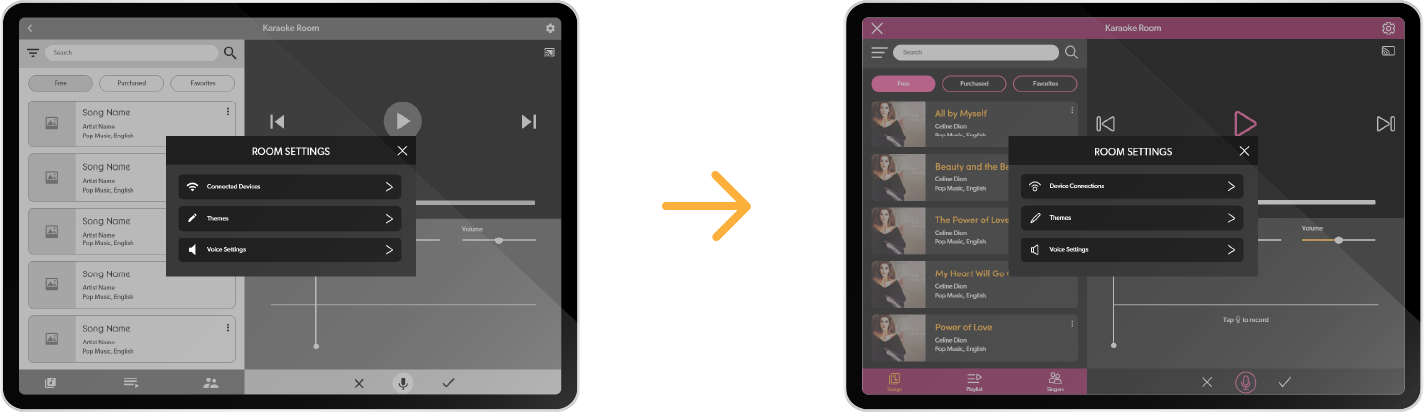
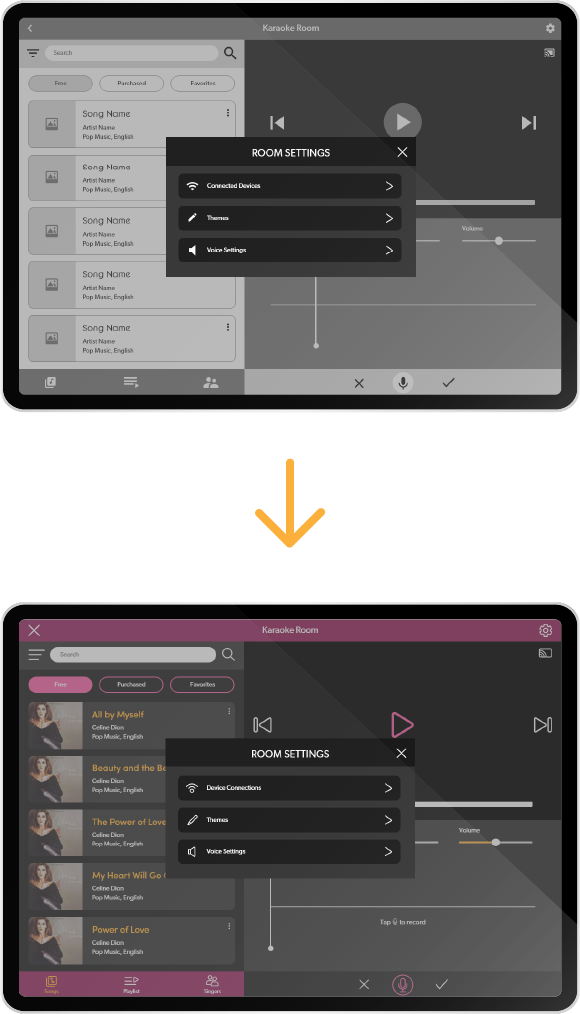
Suggested changing “connected devices” to “devices” or “device connections.”
Participant 3
Thought the task flow was fine but the instructions could’ve been a bit clearer.
Fix: Changed the subpage’s name to “Device Connections.”
03.
User Interface
04.
Branding
Merchs & Products